Shaders for Minecraft Bedrock
Browse 4 free shaders for Minecraft Bedrock — popular picks include Arcena Pulse+ A&S_ by 4chippz Shader (26.x) – Glowing Purple Arcane Energy, Trailer Graphics Pack (1.26+) – RenderDragon, All Devices, Fantasy Vanilla Shader Renewed (1.26+) – Android/iOS.
Step by step: How to install Minecraft Bedrock texture packs
Updated daily
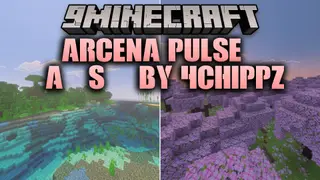
Arcena Pulse+ A&S_ by 4chippz Shader (26.x) – Glowing Purple Arcane Energy
Arcena pulse+ [A&S]_ by 4chippz Shader gives your tools a fantasy look inspired by ancient artifacts and mystical crystals. It adds mysterious purple arcane energy and detailed relic designs to your gear. The shader maintains smooth performance across Bedrock Edition while upgrading your daily gameplay visuals. Features: Adds glowing purple arcane energy to your tools. […]
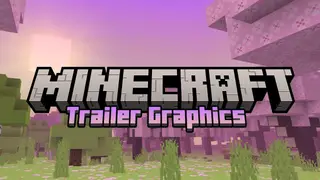
Trailer Graphics Pack (1.26+) – RenderDragon, All Devices
Are you looking to experience the stunning graphics showcased in Minecraft trailers? Look no further than this graphics pack! Designed to mimic the graphics of Minecraft trailers, Trailer Graphics Pack offers high-quality visuals without any performance lag. Plus, it's compatible with all devices that support Minecraft Bedrock Edition. Try it and see for yourself – […]
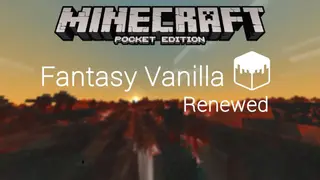
Fantasy Vanilla Shader Renewed (1.26+) – Android/iOS
Fantasy Vanilla Shader Renewed maintains Minecraft's original appearance while incorporating unique features. It is worth noting that its performance is impressive, and it can run on low-end devices with just 1-2 GB of RAM, making it an excellent option for Android/iOS users. We strongly suggest trying out this shader, you won't regret it. Features: Sunbeams […]
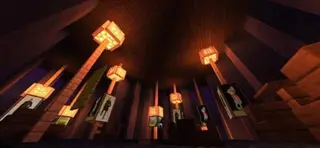
Enlight Shaders
Enlight Shaders is another development from the authors of the Haptic build. The author came up with the concept of global custom settings so the player can select necessary features and improvements themselves. Using a special console you can change graphics as you see fit. Colors, optimization.