Shaders for Minecraft Bedrock
Browse 10 free shaders for Minecraft Bedrock — popular picks include Glass Trapdoors Windowed Shader (26.x, 1.21) – Transparent Trapdoor Windows, Arcena Pulse+ A&S_ by 4chippz Shader (26.x) – Glowing Purple Arcane Energy, RedstoneTech Shader (1.26+) – Redstone Signal Numbers And Glowing Ores.
Step by step: How to install Minecraft Bedrock texture packs
Updated daily
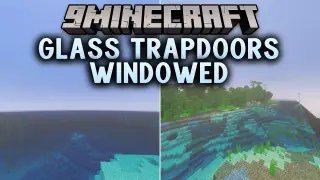
Glass Trapdoors Windowed Shader (26.x, 1.21) – Transparent Trapdoor Windows
Glass Trapdoors Windowed Shader lets you transform all standard trapdoors into transparent glass windows in your Minecraft Bedrock world. It allows natural light to pass through smoothly to brighten up ceilings, rooms, and decorative floors. This visual upgrade helps you create modern builds, clean skylights, and scenic interior views on any device. Features: Replaces all […]
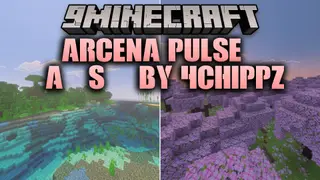
Arcena Pulse+ A&S_ by 4chippz Shader (26.x) – Glowing Purple Arcane Energy
Arcena pulse+ [A&S]_ by 4chippz Shader gives your tools a fantasy look inspired by ancient artifacts and mystical crystals. It adds mysterious purple arcane energy and detailed relic designs to your gear. The shader maintains smooth performance across Bedrock Edition while upgrading your daily gameplay visuals. Features: Adds glowing purple arcane energy to your tools. […]
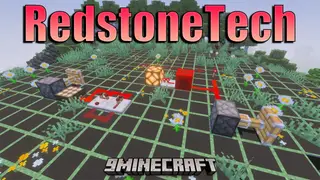
RedstoneTech Shader (1.26+) – Redstone Signal Numbers And Glowing Ores
RedstoneTech Shader gives you helpful visual tools for building technical machines. It adds clear number displays for redstone power levels and shows exactly where monsters can spawn. You can also see glowing ores in dark caves to make mining much easier. Features: Displays redstone signal strength numbers on circuits. Shows clear chunk borders and wireframe […]
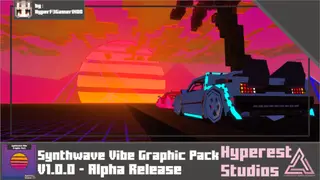
Synthwave Vibe Graphic Shader (1.26+) – MCPE/Bedrock
Synthwave Vibe Graphic Shader is inspired by the 90s futuristic style with neon lights, purple and pink colors, and retro synthwave atmosphere like old arcade machines. The scene is covered with bright colors, stronger lighting. 🎛️ Compare Bedrock Shaders Side by Side →Drag across real in-game scenes — find YOUR perfect MCPE shader. Screenshots: Synthwave […]
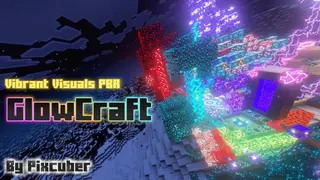
GlowCraft Shader (1.26+) – MCPE/Bedrock
GlowCraft Shader adds glow effects to various game elements. This pack uses Vibrant Visuals PBR technology to make ores, crystals, particles glow, and areas of the world have illumination. 🎛️ Compare Bedrock Shaders Side by Side →Drag across real in-game scenes — find YOUR perfect MCPE shader. Screenshots: GlowCraft Shader Download Links For Minecraft PE/Bedrock […]
GlowCraft Shaders
Minecraft world can look much better if you improve the lighting. With GlowCraft, new light sources appear in the game that make the environment brighter and deeper. The shaders use Vibrant Visuals technology and create more realistic shadows and reflections. Caves glow differently and
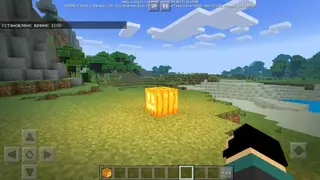
Energy Shaders for Minecraft 1.10
These are the first shaders for Minecraft that support Windows 10, iOS, and Android devices. Changes have affected everything, from night and lighting to shadows! With these shaders, the world in Minecraft will be
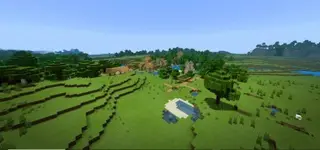
Energy Shaders
Energy Shaders, like all other Minecraft PE shaders, are created to improve gameplay and design. Enhanced appearance of lights, shadows, fog and much more. All this is meant to help players enjoy their time with their favorite game.
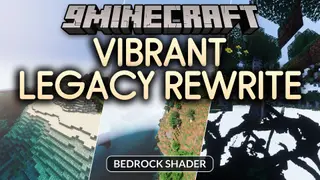
Vibrant Legacy Rewrite Shader (26.x) – Clean Illumination Across Bedrock Devices
Vibrant Legacy Rewrite brings refreshed lighting and enhanced visual effects to your Bedrock worlds. It acts as a complete overhaul project designed to deliver cleaner illumination across mobile devices, consoles, and PC. You can jump into brighter and more colorful landscapes with upgraded graphic support. Features: Brings renewed lighting effects using new Vibrant Visuals technology. […]
BRD Manager Script For BetterRenderDragon – MCPE/Bedrock (1.21)
Fzul's BRD Manager Script (or BRD Updater Script) automates -a popular open-source enhancement mod for the RenderDragon engine that enables deferred rendering, raytracing disable, hot-reload shaders, and an in-game ImGui config menu (F6). Itself supports (Direct3D 11/12), fixes vanilla RenderDragon limitations for custom shaders/visuals, but often gets deleted by Windows Defender, and keeps everything current […]