Texture Packs for Minecraft Bedrock
Browse 204 free texture packs for Minecraft Bedrock — popular picks include Clear Chat / Transparent Chat Textures, Custom Amethyst Colors Textures, EINP | Hyper Realistic Textures.
Step by step: How to install Minecraft Bedrock texture packs
Updated daily
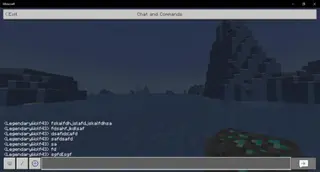
Clear Chat / Transparent Chat Textures
Many users dislike the fact that chat darkens the entire screen. This greatly interferes with gameplay and can cause a sudden creeper to blow you up. To protect yourself from this and improve your gameplay, Clear Chat / Transparent Chat textures are recommended. After installing the pack the entire
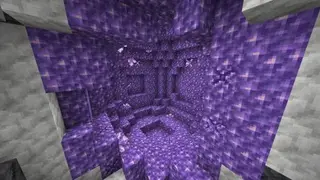
Custom Amethyst Colors Textures
Amethyst is a brand new material that not everyone has tried yet. Now it's available in Minecraft, which means add-on developers will actively improve it. For example, Custom Amethyst Colors textures will let you choose the color of this block. The block itself has an unusual appearance
EINP | Hyper Realistic Textures
Immerse yourself in a world of unprecedented beauty and detail, exploring Minecraft like never before. EINP | Hyper Realistic textures will provide visual pleasure even from simply being in the cubic universe. Each block will become a masterpiece, and nature will turn into a work of
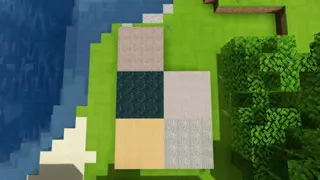
RealismExtreme Textures
All types of textures for Minecraft claim to demonstrate ultra-realism and ultra-detail. Don't believe them until you try it yourself. With RealismExtreme textures it's the same - high clarity, smooth landscapes and saturated colors with 128x128 pixel resolution. The author
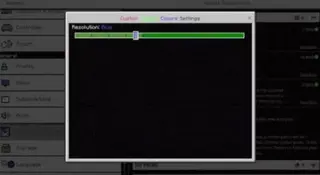
Custom Damage Color
Whenever you attack someone, red color appears with each hit. These textures allow you to choose the damage color yourself in Minecraft PE.
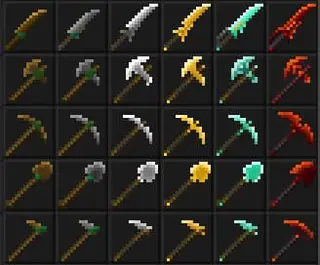
Weaponry Re-Imagined Textures
Weaponry Re-Imagined textures will transform the appearance of equipment in Minecraft, breathing new life and excitement into every swing, shot, and strike. The art of combat will reach unprecedented heights, as each weapon itself becomes a visual masterpiece. Whether you're defending your home or going into battle for treasures
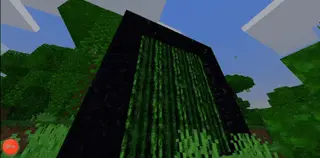
Alternate Portals Textures
The Nether portal looks quite beautiful, but with Alternate Portals textures you can give it an even better look in Minecraft. You will have 4 animations to choose from, which look simply amazing. It's hard to describe — you should see it for yourself. Matrix, Bubbles, Squares, RGB animations available.
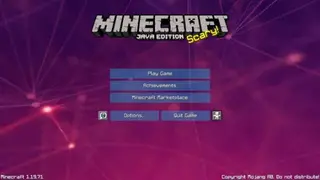
Meta Chrome PvP
With Meta Chrome PvP textures, you can not only improve graphics and design in Minecraft, but also help yourself in PvP. The addon introduces useful features that allow you to simplify your battles with other players: for example, low fire, transparent interface, and much more. Besides, it will improve other.
Amazing Survival Textures
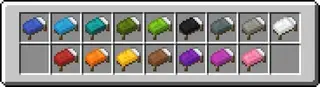
Tired of Minecraft's block world textures that never update? It's time to take control of the universe's design yourself and install Amazing Survival textures. With them, you can change not only the appearance of most items in the game but also improve blocks.
The Nether Armor Upgrade Textures
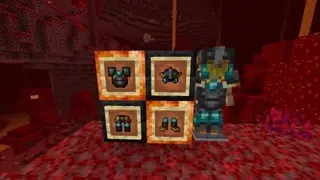
The Nether Armor Upgrade textures improve the design of netherite tools, weapons, armor, and the netherite ingot itself. The new ingot will have gold particles. Tools and armor will use diamonds and gold alongside netherite, making the models more detailed and interesting.
CursedMobs Textures
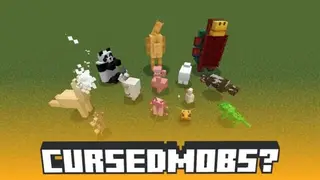
Immediately after installing CursedMobs textures in Minecraft, be prepared to witness very unconventional mob transformations. The author collected all mobs from the cubic universe and turned them into all sorts of strange and unusual creatures. What came of it? Best to see it in the game itself.
Skyboard UI Textures
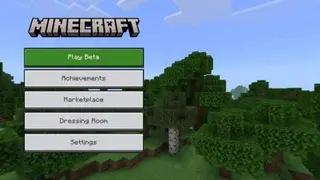
It's quite difficult to describe the changes that Skyboard UI textures bring. You'll need to install the pack in your Minecraft and try the new design yourself. Even the screenshots below are unlikely to convey all the updates that will be available in the game. The addon changes the interface of various types.
More Menu Backgrounds Textures
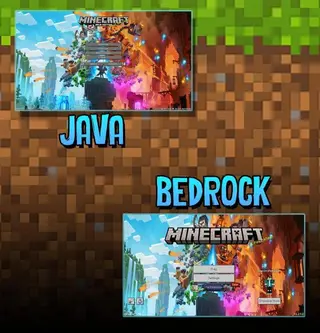
More Menu Backgrounds textures offer to update the look of Minecraft. Now instead of the familiar menu background, you'll see a new image that you can choose yourself. You'll have pictures from the new block universe game — Minecraft Legends. You can learn more about the game via the link.
Kal's Arms & Armor Textures
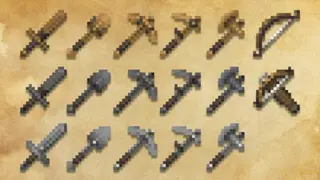
Kal's Arms & Armor textures are a modern adaptation of classic Minecraft Bedrock design. The author drew inspiration from other fantasy worlds and developed a unique look for familiar tools and armor. Despite high detail, elements still look great.
Custom Death Screen Title Textures
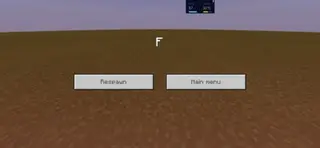
Custom Death Screen Title textures change nothing except the text on the death screen in Minecraft. Even the screen itself will be the same - only the text that appears after the user's death will change. 10 variants of different inscriptions in the blocky world are available: Bye bye, GG
3D Totem From Player Skin
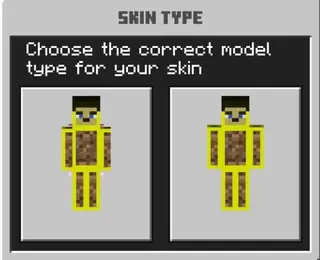
3D Totem From Player Skin textures allow you to create an unusual Totem of Undying that looks like a model of the player character itself in Minecraft. Everything is very easy and simple: just install the addon and get a new Totem of Undying model in the blocky universe. The Totem of Undying now features.
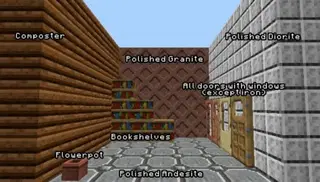
Zed's Vanilla Textures
The author searched for many textures to use in their worlds but couldn't find anything meeting their standards. So they created Zed's Vanilla to improve Minecraft PE. If you want something done well, do it yourself. The changes enhance various game elements.
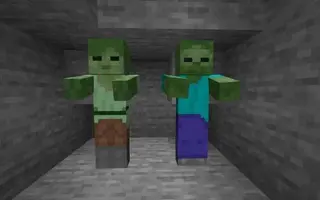
Alex Zombies Textures
As you know, zombies don't appear out of nowhere: they are the corpses of players themselves who suddenly came to life and started chasing the player. That's why Zombies look so similar to Steve — the same clothes and body model. But Zombies were created so long ago that Alex didn't exist in Minecraft yet. Now it's time to add Zombies that look like Alex.
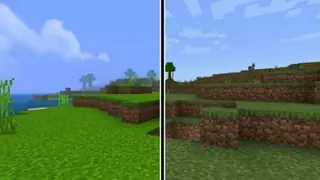
D-Graphics Mod
Choosing textures to improve graphics in Minecraft Bedrock is like picking a wand in Harry Potter movies. You need to evaluate the mod: look at screenshots, read the description, and then install it. Then the textures themselves will decide if they suit you or not. So we offer you to choose
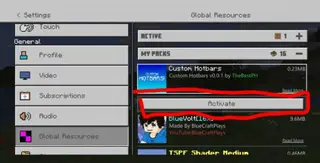
Custom Hotbars
Tired of the familiar look of the quick access menu in Minecraft PE? Use Custom Hotbars textures to get a huge number of new design options. The pack includes 23 different hotbar variants so every user can choose something for themselves. 2 of them will be animated.
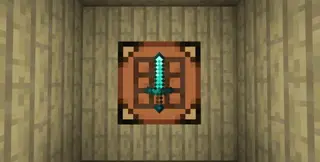
Invisible Item Frame
With Invisible Item Frame textures, item frames not only become transparent but disappear entirely. This means you can place any items in Minecraft as if they're hanging by themselves. This feature allows you to use any block world elements as decoration. Besides this,
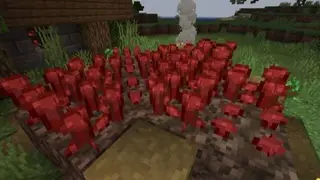
Better Warts Textures
The color of nether wart was chosen for a reason: a traditional Nether plant, like the dimension itself, should have been in red tones. Better Warts textures are designed to change the status quo and change the color of the nether plant. Besides this, players often face a problem when they cannot determine the growth stage.
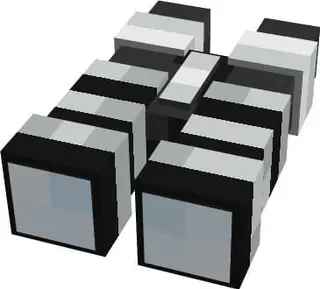
Better Spyglass 2 Textures
The spyglass is extreme medieval times. Players demand more modern tools for survival in Minecraft, so Better Spyglass textures will change the model and functions of the spyglass. The tube itself will look exactly like ordinary binoculars that most people have. However.
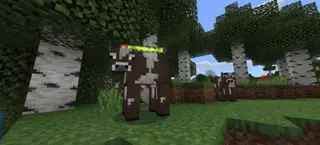
Health and Damage Indicator
The name of Health and Damage Indicator textures speaks for itself: the pack will show the health of almost any mob in Minecraft. In addition, damage to the player or mobs will also be displayed as floating messages. The pack is exclusively a resource pack,
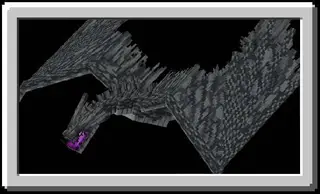
Spry Conquest: Stylized Dragons Textures
Spry Conquest: Stylized Dragons textures are designed to improve the appearance of dragons that appear when installing the Spry Contest mod. This addon enhances the look of three types of dragons already available in the addon. Remember, you need to install both the textures and the mod itself for everything to work.
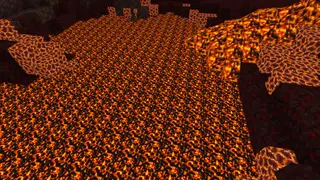
Scary Nether | Nether Haul Textures
The Scary Nether | Nether Haul texture pack improves the Nether dimension by changing the appearance of blocks. This gives a rather eerie atmosphere to the entire dimension, which is characteristic of the mythical underworld. All elements became darker, which changes the color of blocks,
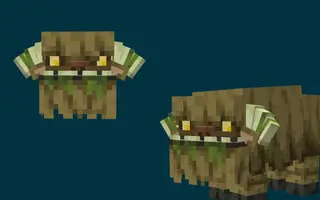
Hytale Mosshorn (Cow) Textures
Hytale Mosshorn (Cow) Textures give Cows a very scary appearance. The familiar, cute, harmless creatures will look eerie and nightmarish. This addon was developed specifically for those who love mythical creatures and want to change the appearance of mobs in the game. Below you can see the new
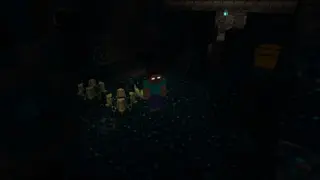
Herobrine Reborn | Warden Textures
When the Enderman appeared in Minecraft, it was immediately transformed into Herobrine, as the mob's behavior resembled this mythical creature. Now the Warden has arrived, which can also take on the role of Herobrine. To do this, simply install Herobrine Reborn | Warden textures.
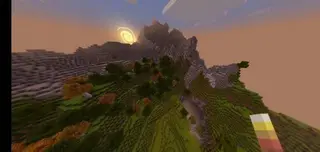
DandelionBE
DandelionBE textures are a standard addition designed to update interfaces and world design in Minecraft. The author provided no description, so you'll need to install it and explore it yourself. Screenshots below show certain elements.
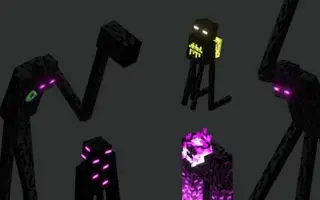
Dungeons' Enderman Textures
Update the appearance of Endermen in Minecraft with Dungeons' Enderman textures. In addition to the Endermen themselves, the changes will also affect End Silverfish. The main update will touch the models: Endermen will have various shapes, and glowing elements will be located not only in the eyes.
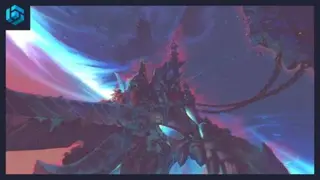
Demon Island Textures
More Demon Island textures with a unique sky view in Minecraft. This time the sky will get the style of fantasy games or movies. A floating island inhabited by demons will be located in the sky. Unfortunately, you can't reach it, but it will decorate nature beautifully. It all looks very realistic.
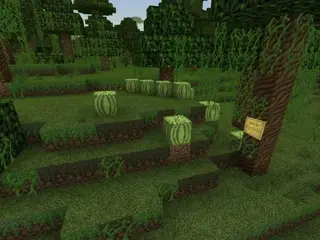
Des Bijoux Textures
The main idea of Des Bijoux textures was to enjoy nature and the surrounding world. The author changed most familiar elements in Minecraft: sometimes you won't even recognize certain things. Try this add-on and decide for yourself if it's worth it. In addition to landscape updates, players will receive
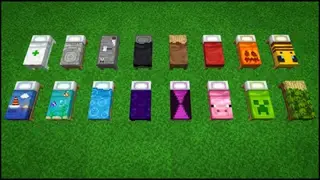
Lucid Beds Textures
Comfort and coziness are not the most sought-after things in Minecraft, but many players still value and love them. Therefore, many try to build houses with maximum warmth and care for themselves. You can use various types of furniture and blocks for this, or you can improve existing game elements.
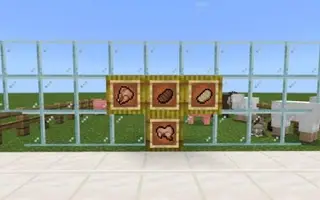
Distinct Outlines Textures
Sometimes players complain that many item textures are underdeveloped: it can be difficult to distinguish one item from another in inventory due to unclear outlines. Players often create this problem themselves by adding various modifications to their game. Distinct Outlines textures solve this issue.
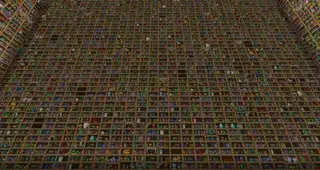
Varied Bookshelves
Do you use bookshelves often? Tired of them always looking the same? Try Varied Bookshelves textures. The add-on changes the appearance of bookshelves with each installation. Over 100 types of bookshelves are available. Your library will be much more beautiful and diverse than before. If you
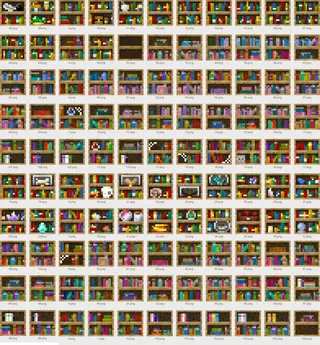
Bookshelf Variants 1.20+
This texture pack adds over 100 different bookshelf variants in Minecraft PE (Bedrock). This way, you can diversify your library.