Texture Packs for Minecraft Bedrock
Browse 11,250 free texture packs for Minecraft Bedrock — popular picks include New Phantom Animations, Diamond Tools Textures, Enhanced Essentials Texture Pack for Minecraft Bedrock.
Step by step: How to install Minecraft Bedrock texture packs
Updated daily
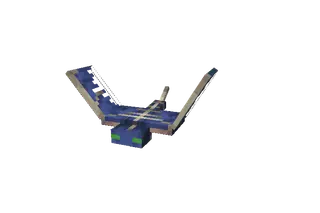
New Phantom Animations
Adds new phantom flight animations that are more dynamic and smooth. The mob appears to fly faster thanks to the dynamic animation. Compatible with other mods that change textures or models.
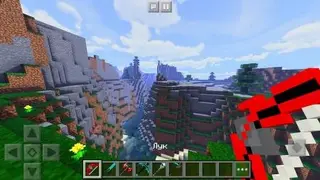
Diamond Tools Textures
With Diamond Tools textures, you can change the appearance of diamond items in Minecraft Pocket Edition. Updates apply to swords, tools, and bows. If you're a fan of cool-looking weapons, this pack is definitely for you. The pack was submitted by a visitor who personally created it.
Enhanced Essentials Texture Pack for Minecraft Bedrock
Enhanced-Essentials is a lightweight resource pack for Minecraft: Bedrock Edition that enhances the overall gameplay experience and improves the quality of life for players.
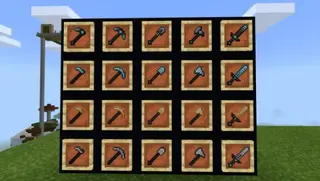
Yukami's Tweaks Textures
Yukami's Tweaks textures change the appearance of items, sounds, animations, and other elements, like all other resource packs. The developer decided to transform the Minecraft world in their own way and bring personal ideas to the block universe. There aren't many features and they are all shown in the screenshots below. New
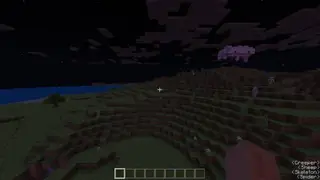
Subtitle Textures
Useful Subtitle textures use a special Minecraft function: you receive information about all mobs around you. Within a 25-block radius, you'll always know about nearby creatures. This information arrives regardless of the mob's direction, whether from above or below.
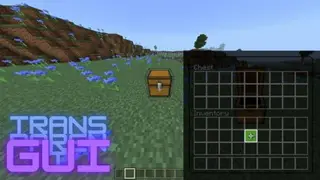
TransparentGUI Textures
TransparentGUI textures offer making the interface in all menus transparent. As is known, this feature is most often used in PvP packs where you need to constantly monitor the situation even while examining a chest or crafting items in Minecraft. Now such an opportunity is available.
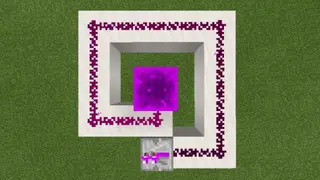
Custom Redstone Colors Textures
Of course, redstone was named redstone because of its red tint and material. It would seem that changing the redstone color is a stupid idea that shouldn't be implemented, but the pack developers thought otherwise. So we present Custom Redstone Colors textures, which will change the color of red dust. Such
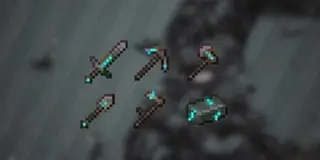
Cracked Netherite – Diamond Edition Textures
Cracked Netherite – Diamond Edition textures improve the appearance of all items crafted from the new netherite material. Netherite tools, weapons, and armor will be updated. The new items feature a beautiful design with bluish cracks and blue-gray coloring.
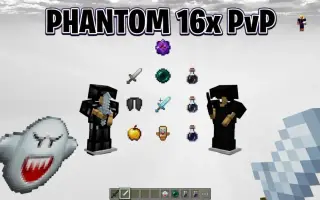
Phantom Clean PvP Texture Pack for Minecraft
Stark, minimalist 16x PvP texture pack with pitch-black armor, short swords, and a custom Boo ghost totem — optimized for Minecraft Bedrock.
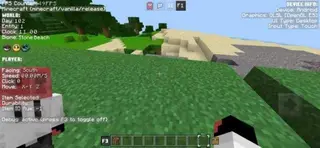
Another UI Textures
Another UI textures are an extremely useful tool for any Minecraft player with many features, including 3D totem, F3 debug screen, custom music, quick settings, chunk borders, customizable inventory, and much more. F3 debug screen, FPS counter, game version, world.
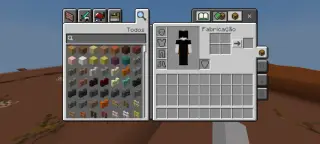
Better Inventory Texture Pack for Minecraft Bedrock 26.50
Enhances the inventory UI with Quick Loot, Quick Drop, Drop One, Drop All buttons and item rarity overlays.
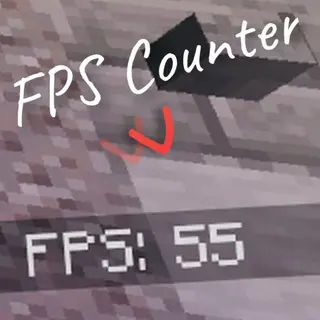
FPS Counter Textures
Many players want to always see the frames per second counter during Minecraft PE gameplay. Simply install the FPS Counter textures and avoid using third-party programs or features. Note that the counter works incorrectly if
Super HD Textures for Minecraft Bedrock 1.13 for Mobile
Super HD Textures for Minecraft Bedrock 1.13 for Mobile
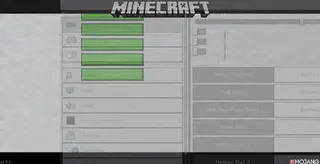
New Minecraft UI Textures
Have you heard that Minecraft Bedrock developers are coming up with an updated user interface for the game? While this interface is still in development, other players have started creating their own versions to show design ideas to the game developers. For example, one of the options is a pack
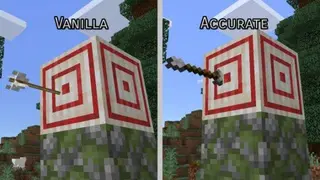
Accurate Arrow Textures
Perfectionists shouldn't play Minecraft Pocket Edition at all. Everything here is imperfect and sloppy. For example, you've probably noticed how an arrow sticks out of a target. As if it was shot by the unluckiest archer. Now this can be fixed with Accurate Arrow textures. Changes will affect
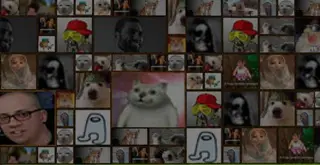
Paintings Memes Textures
Ever wanted to troll your friends using funny images in Minecraft PE? Then Paintings Memes textures are perfect for you. The mod allows not only trolling friends but also having fun. The mod replaces regular paintings with memes. There's not much to explain here —
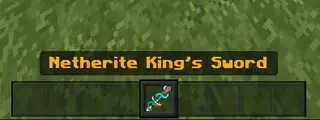
The Netherite King Textures
Upgrade netherite gear appearance with golden and diamond accents. Includes redesigned armor, tools, weapons, and updated item names for a more luxurious look.
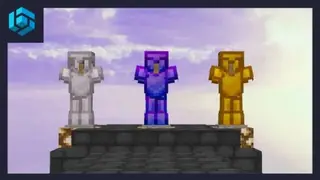
Imaginary 16x Recolors
Imaginary [16x] Recolors textures work for almost all PvP modes in Minecraft, including sky wars, bed wars, and other variants. This pack improves the appearance of armor, weapons, and other elements that affect PvP gameplay. Recommended for mid-range devices.
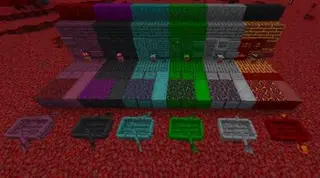
Nether Overworld Textures
Turn your worst nightmare into reality - replace the normal world with Nether aesthetics. Experience lava, horrific mobs and nightmarish biomes in the Overworld.
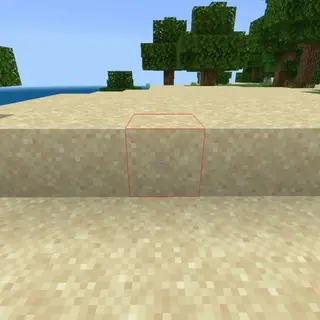
Block Outlines 1.18+
This texture pack will add outlines to blocks that you hover over in Minecraft PE (Bedrock). About 6 colors will be available.
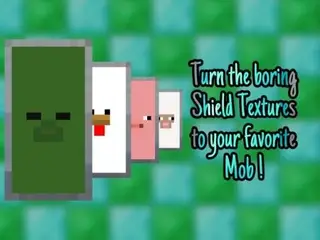
H SHIELDS: MOBS
Shields in Minecraft look boring and dull, so the H SHIELDS: MOBS texture developers decided to give shields a unique design. This appearance not only entertains every user but also beautifies gameplay. The textures of the shield's outer part will be replaced with mob faces. Already available in 8 mob varieties.
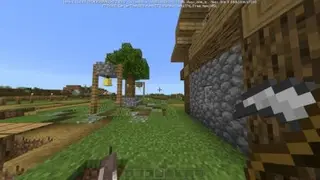
Better Tools Textures
Minecraft textures gradually become tedious. Players desire new design in their favorite game. Better Tools helps by refreshing the design through updated tool appearance when held in hand. Small changes make a big difference.
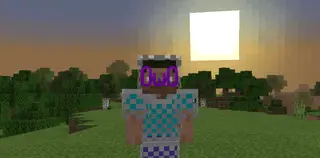
3D Models for Armor in Minecraft PE
These textures will add 3D models to your armor, and everything is made as detailed as possible. I recommend you download these textures for MCPE.
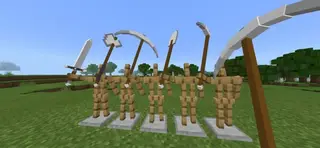
3D Tools and Items
These textures will give your tools and some items a 3D shape in Minecraft PE (Bedrock). This pack will also work on servers.
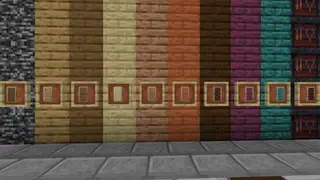
Planky Shields Textures
Simple Planky Shields textures for Minecraft that let you easily change the appearance of shields. Nothing unusual or supernatural: just review the screenshots, install the addon and choose your desired design. Plenty of options available.
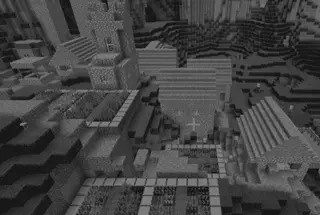
Monochromatic Textures
Monochromatic textures are perfect for those who don't like overly bright colors in Minecraft Bedrock. They remove most colors, leaving only black and white. Yes, it's quite fun and unusual. However, it's worth noting that this will significantly complicate the game. This texture pack for Minecraft will remove
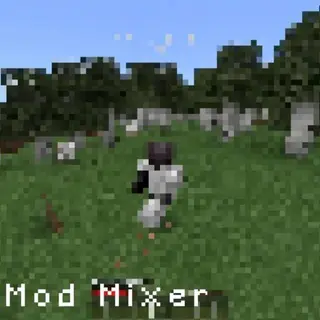
ModMixer
Often some add-ons cannot be combined with each other in Minecraft Pocket Edition. They won't interact with each other, and players will have to choose one or the other. To avoid this problem, you can use ModMixer textures. If you move this pack to the top of the add-ons menu,
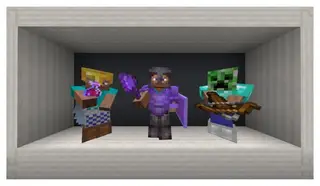
AS2PM: Armor Stand to Player Model
Transforms armor stands into player models, allowing you to preview armor more easily. Know exactly how armor looks on Steve before equipping it.
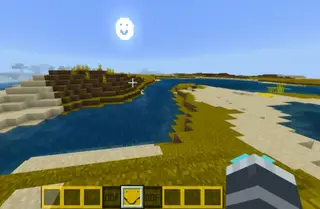
OOF Face Textures
By no means install OOF Face textures as they are truly cursed. If you are brave enough to try them in Minecraft PE, then use the addition for PvP, for normal survival, or take it as a challenge. Don't use the pack if you just want to play
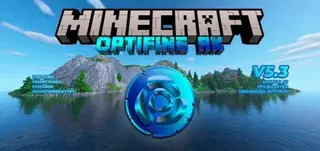
Optifine RK Textures
In life, you always need to change something. Sometimes you have to do it, and sometimes the heart demands change. If you look at the screenshots of Optifine RK textures, your heart will definitely ask to update the appearance of Minecraft. The mod not only changes many elements but also optimizes the design.
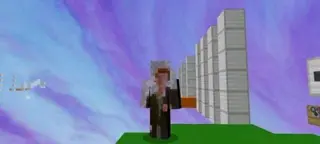
Animated Skins Textures
Daily, addon developers release dozens of builds that affect Minecraft Bedrock design, allowing players to improve gameplay with new graphics and elements. Most are aimed at improving nature or adding furniture, but Animated Skins textures took a different approach.
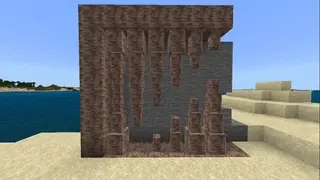
Blocky Dripstone Textures
The caves update is getting closer and closer, and new blocks are gradually entering Minecraft. But some players are already dissatisfied with the appearance of new elements. For example, the Blocky Dripstone texture developer wanted to change dripstone models. The author believes that the blocks look wrong: for
Better Sounds Textures
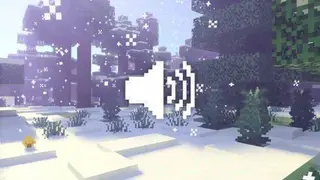
You cannot say that sounds in Minecraft are poorly made or sound terrible. Perhaps some of them are not realistic or don't match actions, but the game developers did a great job. But even such well-crafted elements can be improved: for example, Better Sounds textures replace some sounds in the game.
Pure Optimizer Textures
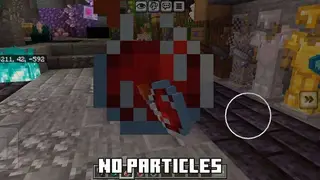
Sometimes the best graphics are stability and smoothness. Therefore, Pure Optimizer textures help achieve maximum smoothness in the game even on weak phones. Thanks to reduced detail and improved world processing, you can enjoy the game without stutters, overheating, and crashes. Suitable for
Butterfly Dyes Textures
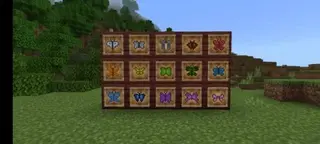
Love butterflies? With Butterfly Dyes textures, you can transform ordinary Dyes into Butterflies. An extremely simple and barely noticeable change that will help make the Minecraft world even more beautiful. This style will find use in wall frames, as butterflies will look perfect for decoration.
Custom Totem Your Lie In April Textures
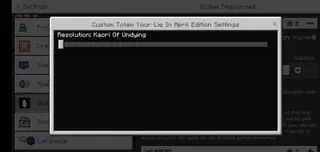
Totems of Undying are what save us from certain death. But what if our favorite anime characters could save us? That's exactly what the Custom Totem Your Lie In April textures offer: instead of the familiar Totem of Undying, you'll see Kaori and Kousei from the anime "Your Lie in April"